
Legal professionals waste an average of 19% of their workweek searching for documents instead of serving clients. Disorganization can cost firms both time and reputation. By building a reliable system for managing your legal documents, you can reduce daily stress and avoid costly mistakes. This guide shows how a structured approach brings order to your files, supports compliance, and helps your team work with confidence.
Table of Contents
- Step 1: Set Up Essential Document Categories
- Step 2: Gather and Digitize Legal Documents
- Step 3: Sort Files Using a Logical System
- Step 4: Securely Store and Manage Access
- Step 5: Track Updates and Maintain Compliance
- Step 6: Verify Organization and Address Gaps
Quick Summary
| Key Point | Explanation |
|---|---|
| 1. Establish Document Categories | Organize documents into clear categories like Contracts and Compliance to simplify retrieval and management. |
| 2. Digitize Physical Documents | Use a high-quality scanner to create a digital archive, enhancing accessibility and security. |
| 3. Create a Logical Sorting System | Develop a hierarchical folder structure with consistent naming protocols for all digital files. |
| 4. Implement Robust Security Measures | Enforce role-based access and track document interactions to ensure confidentiality and protect sensitive data. |
| 5. Conduct Regular Compliance Reviews | Establish a quarterly review process to ensure adherence to document management protocols and enforce accountability. |
Step 1: Set Up Essential Document Categories
In this step, you will create a systematic approach to organizing your legal documents that reduces complexity and improves retrieval efficiency. By establishing clear document categories, you can transform your document management from chaotic to streamlined.
Start by mapping out the core document types your practice or organization regularly handles. According to TechTarget, establishing consistent file naming and metadata conventions is crucial for organizing documents effectively. This means creating broad categories like Contracts, Correspondence, Financial Records, Court Filings, Client Intake Forms, and Compliance Documentation.
For each category, develop a clear naming protocol that includes key identifiers such as client name, date, document type, and version number. As recommended by ALA Net, implementing a compliance checklist can significantly reduce document management errors. Your naming system should be intuitive enough that any team member can quickly understand the document’s context without extensive explanation.
Pro Tip: Create a master legend or reference guide that details your document categorization system. This will help onboard new team members and maintain consistency across your organization. Place this legend in a shared, easily accessible location so everyone understands the document management workflow.
Once you’ve established your categories, you’re ready to move into the next phase of digital document organization and systematic file management.
Step 2: Gather and Digitize Legal Documents
In this step, you will transform your physical legal documents into a streamlined digital system that enhances accessibility, security, and organization. The goal is to create a comprehensive digital archive that simplifies document management and improves your workflow efficiency.
Begin by collecting all existing physical documents from various storage locations such as file cabinets, boxes, and scattered desk spaces. PageLight Prime emphasizes the importance of centralizing document storage, which ensures all files are stored in one location and reduces the risk of duplication. Invest in a high-quality scanner capable of handling different document sizes and types, including legal-sized papers, contracts, and correspondence.
As you digitize, Moxo recommends implementing a cloud-based document management system that provides remote access, enhances collaboration, and reduces the need for physical storage while offering advanced security features. Create a consistent scanning workflow where each document is scanned at a high resolution, saved with a clear filename matching your previously established document categories, and immediately backed up to your secure cloud storage.
Pro Tip: Quality matters more than speed. Take time to ensure each document is scanned clearly, with no missing edges or blurry text. Consider using optical character recognition (OCR) technology to make your documents searchable and easily indexable.
With your documents now digitized, you are prepared to move forward with organizing and managing your new digital document repository.
Step 3: Sort Files Using a Logical System
In this step, you will develop a systematic approach to organizing your digital documents that transforms chaos into clarity. Your goal is to create a file sorting method that makes retrieval fast, intuitive, and consistent across your entire organization.
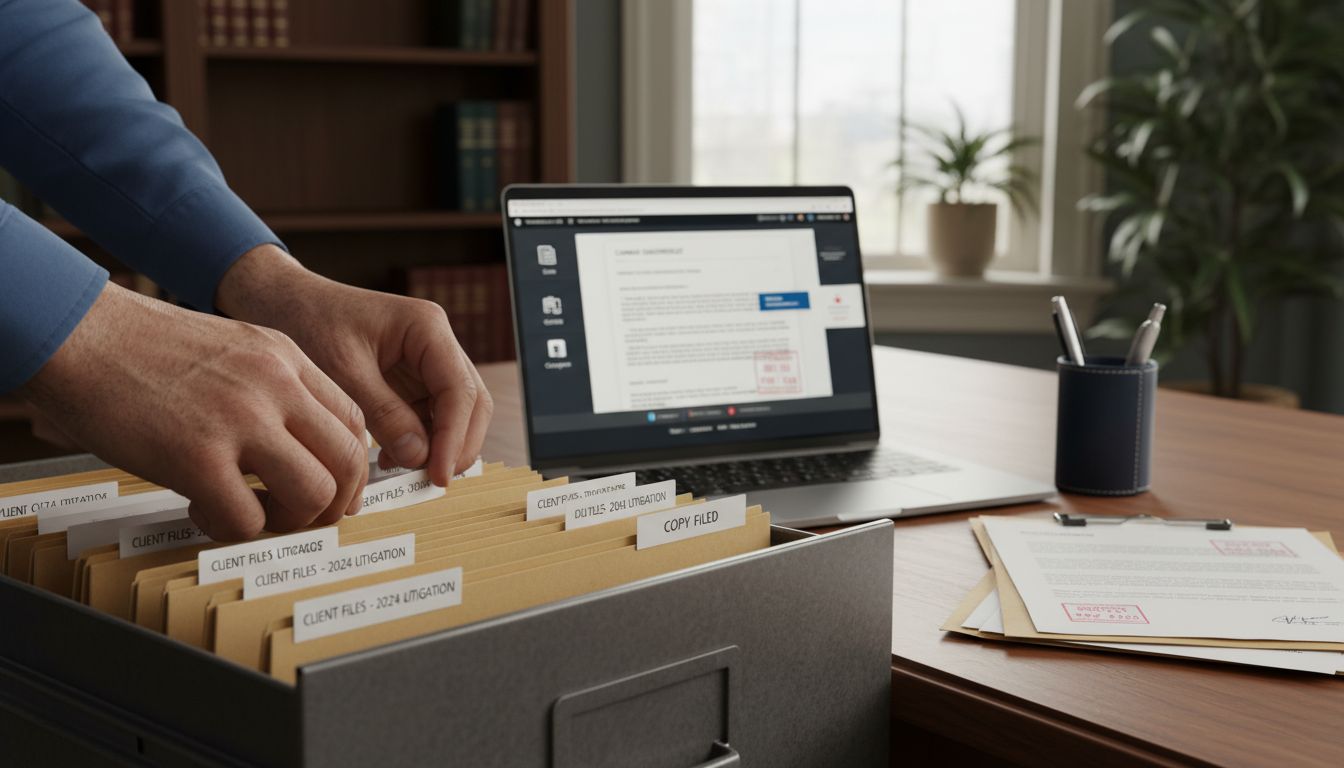
According to TechTarget, adopting a structured and standardized way to name and add metadata tags to files makes documents easy to find, preventing confusion and wasted time. Start by creating a hierarchical folder structure that mirrors your previously established document categories. Within each category, establish subfolders that break down documents by additional criteria such as year, client, case type, or project status.
ALA Net emphasizes that having the entire team clear on the proper way to name all documents ensures the integrity of information and facilitates quick retrieval. Develop a consistent naming convention that includes key identifiers like date, client name, document type, and version number. For example, a contract might be named “2024 SmithCorp Service Agreement v3.pdf” which immediately provides context about the document without opening it.
Pro Tip: Create a brief style guide document that outlines your naming and sorting protocols. Share this with all team members to maintain consistency and prevent file management drift over time.
With your files now systematically sorted, you are ready to implement advanced document management strategies that will streamline your workflow.
Step 4: Securely Store and Manage Access
In this critical step, you will establish robust security protocols that protect your legal documents while ensuring authorized personnel can access the information they need. The goal is to create a secure document management system that balances accessibility with confidentiality.
RunSensible emphasizes the importance of implementing role-based access rights to ensure that only authorized personnel can access specific documents, reducing the risk of data breaches and maintaining client confidentiality. Begin by creating a comprehensive user permissions matrix that defines access levels for different team members. Typically, this involves creating tiers such as view only, edit, and full administrative access based on job responsibilities and project requirements.
IEM Labs highlights how using metadata effectively can enhance organization, retrieval, and workflow automation while improving compliance and security. Configure your document management system to track user interactions, creating a comprehensive audit trail that records who accessed, modified, or shared each document. Implement two factor authentication and encryption protocols to add additional layers of security to your digital document repository.
Pro Tip: Conduct regular access reviews every six months. Remove permissions for team members who have changed roles or left the organization, and update access levels to reflect current responsibilities.
With your security framework in place, you have created a robust system that protects sensitive legal information while enabling efficient collaboration.
Step 5: Track Updates and Maintain Compliance
In this crucial step, you will establish a comprehensive system for monitoring document changes, ensuring legal integrity, and maintaining rigorous compliance standards. Your objective is to create a transparent and accountable document management process that protects your organization from potential legal risks.
RunSensible emphasizes the critical importance of maintaining an audit trail that tracks who accessed and edited a document and when. This approach is vital for accountability and compliance, helping you track the evolution of documents and providing a robust defense mechanism against potential legal disputes. Configure your document management system to automatically log every interaction including view, edit, share, and delete actions with precise timestamps and user identification.
ALA Net recommends implementing a compliance checklist and leveraging technology that automates compliance monitoring to significantly reduce document management errors. Develop a standardized review process that includes regular audits of document versions, automatic notifications for critical changes, and mandatory sign offs for significant modifications.
Pro Tip: Create a quarterly compliance review schedule where you systematically examine your document management logs, verify access permissions, and confirm that all team members are following established protocols.
With a robust tracking and compliance system in place, you have created a powerful safeguard for your legal document management workflow.
Step 6: Verify Organization and Address Gaps
In this final step, you will conduct a comprehensive review of your document management system to identify inefficiencies, validate your organizational structure, and implement strategic improvements. Your goal is to create a seamless and robust workflow that minimizes potential errors and maximizes operational efficiency.
TechTarget suggests establishing a governance body that brings all stakeholders together to help resolve potential conflicts and reach agreements about document management system optimization. Schedule a collaborative review meeting where team members from different departments can provide insights about document access, workflow bottlenecks, and potential improvement areas. Use this opportunity to gather qualitative feedback and quantitative data about your current document management processes.
ALA Net emphasizes that effective records management starts with a well-defined process for onboarding new files and offboarding outdated ones. Develop a systematic approach to regularly audit your document repository, removing obsolete files, archiving historical documents, and ensuring that sensitive information is handled appropriately. Create a standardized checklist that includes criteria for document retention, removal, and archival.
Pro Tip: Implement a biannual comprehensive review process that goes beyond surface level examination. Use data analytics to track document usage patterns, identify rarely accessed files, and continuously refine your organizational strategy.
With this final verification step complete, you have established a comprehensive legal document management workflow that prioritizes organization, security, and efficiency.
Simplify Your Legal Document Workflow with Expert Support
Managing legal documents means facing challenges like disorganized files, complicated naming protocols, and maintaining strict compliance. These pain points can cause delays and stress when deadlines loom. The workflow steps of setting up clear categories, digitizing files, and securing access highlight how vital a streamlined process is for efficiency and peace of mind.
YM Doc Services understands these challenges and offers reliable legal document solutions tailored to your needs. Whether you require professional process serving, precise document retrieval, or timely court filings, our team helps reduce your administrative burden while enhancing compliance. Visit our legal document services to discover how you can simplify your workflow and protect sensitive information with trusted experts by your side.
Ready to transform your document management and meet deadlines without worry? Explore how our professional services can support your entire legal document process. Take the next step now by visiting YM Doc Services and start streamlining your legal workflow today.
Frequently Asked Questions
How can I set up essential document categories for my legal documents?
To set up essential document categories, start by identifying the core document types you commonly handle, such as Contracts, Correspondence, and Financial Records. Create clear naming protocols that include identifiers like client name and date, and ensure all team members are familiar with these categories for consistency.
What are the steps to digitize my physical legal documents?
Begin by gathering all physical documents and investing in a quality scanner for digitization. Implement a consistent scanning workflow where each document is scanned and named according to your established categories, followed by backing them up to a secure storage solution for easy access.
How can I sort files logically to improve organization and retrieval?
To improve organization, create a hierarchical folder structure based on your essential document categories, adding subfolders for additional criteria like year or client. Establish a consistent naming convention that includes key identifiers, enabling anyone in your team to quickly locate documents without confusion.
What security measures should I implement for my legal document management system?
Establish role-based access rights to ensure only authorized personnel can view or edit sensitive documents. Create a user permissions matrix and implement two-factor authentication to add an extra layer of protection, and regularly review access rights to maintain security and compliance.
How do I track updates and ensure compliance with my document management process?
Set up a system that logs interactions with each document, including edits and views, to maintain an accurate audit trail. Regularly schedule compliance reviews and automate notifications for significant changes to ensure that your organization adheres to established protocols.

What steps should I take to verify my document management system and address any gaps?
Conduct a comprehensive review meeting with team members from various departments to identify any inefficiencies or bottlenecks in your system. Create a checklist for regular audits to remove outdated files and refine your organizational strategy, which will keep your document management processes effective and up to date.
We provide GPS-stamped, court-compliant service of process throughout Orange County, Seminole County, and West Volusia County. Licensed Florida process server — FAPPS Member · NAPPS Member · Florida Statutes Chapter 48 Compliant.